
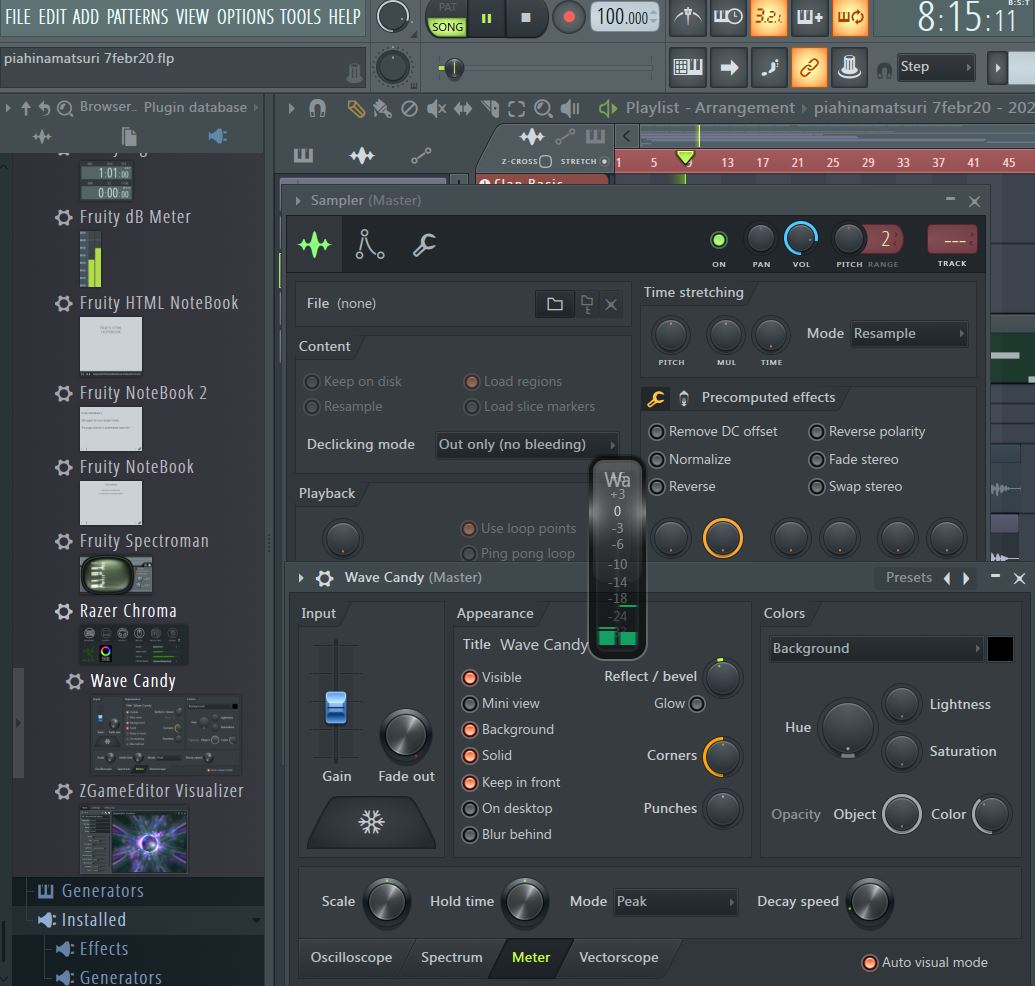
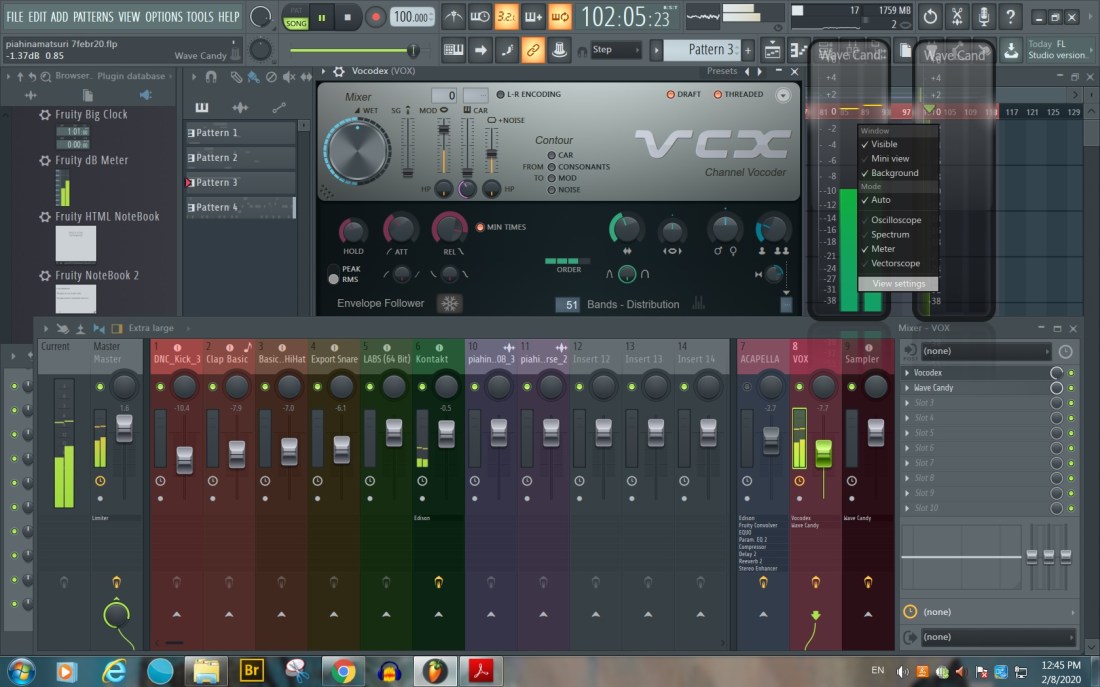
“Wave Candy” plugin – could be used for the Mixer Track where the RECORDING audio goes. Online manual – Wave Candy
Related plugins Spectroman, dB Meter & Fruity Dance
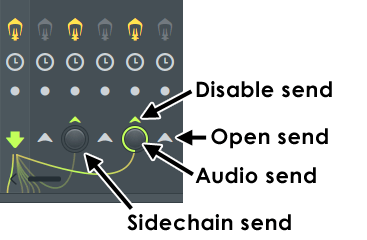
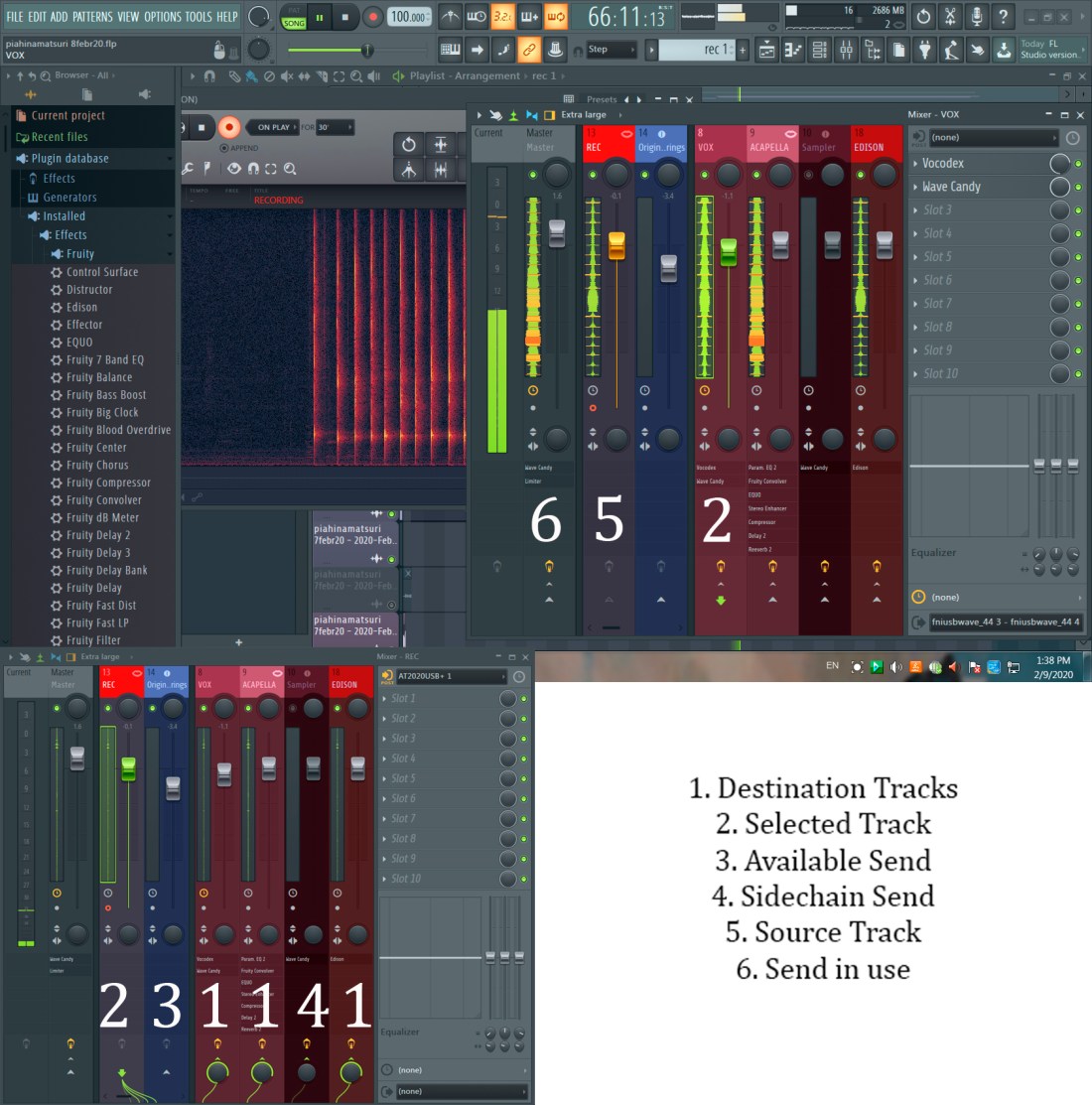
Internal Mixer Track Routing & Sidechaining… Inter-track routing is controlled by the switches and knobs at the bottom of the Mixer.
Steps:
Dock to Right
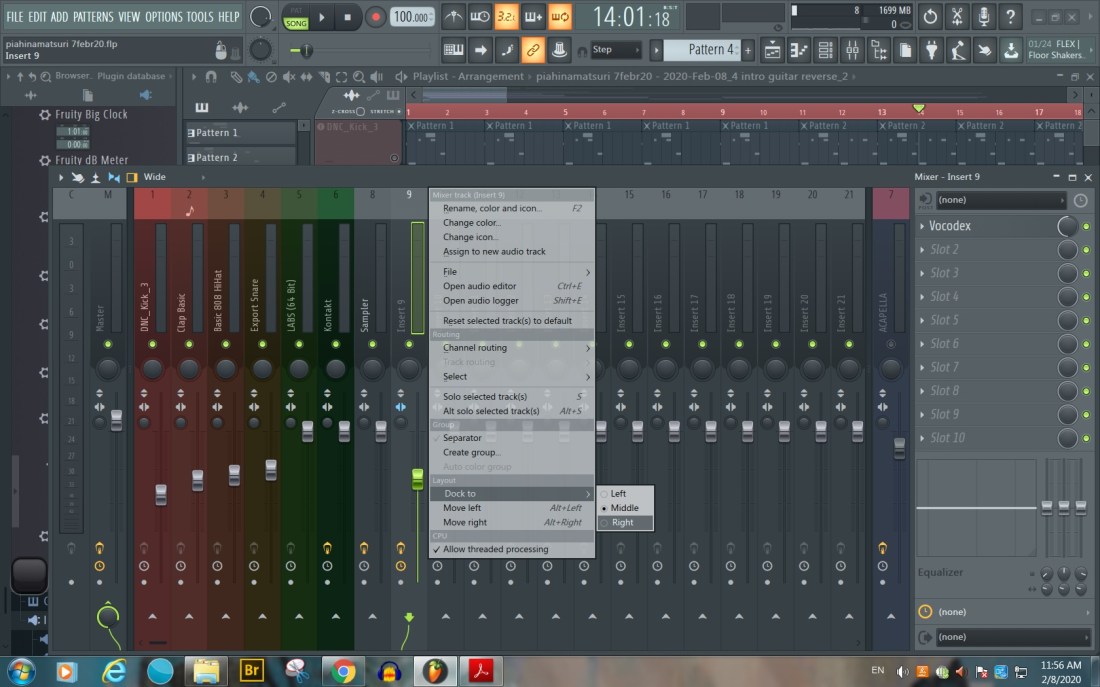
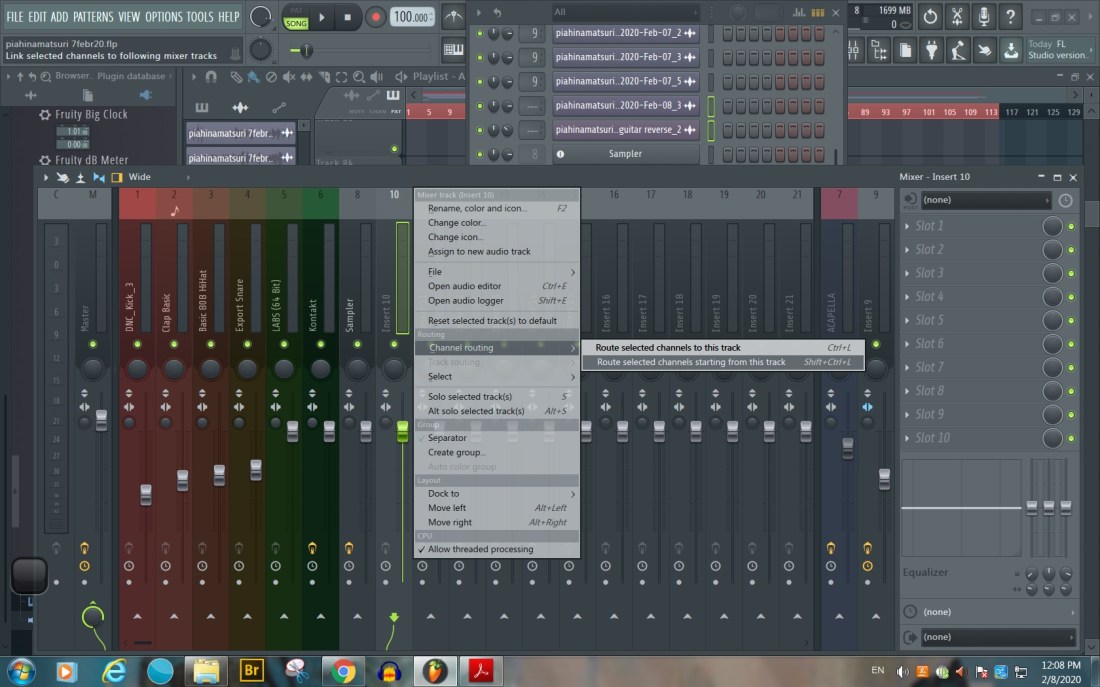
Route selected Channels starting with this track
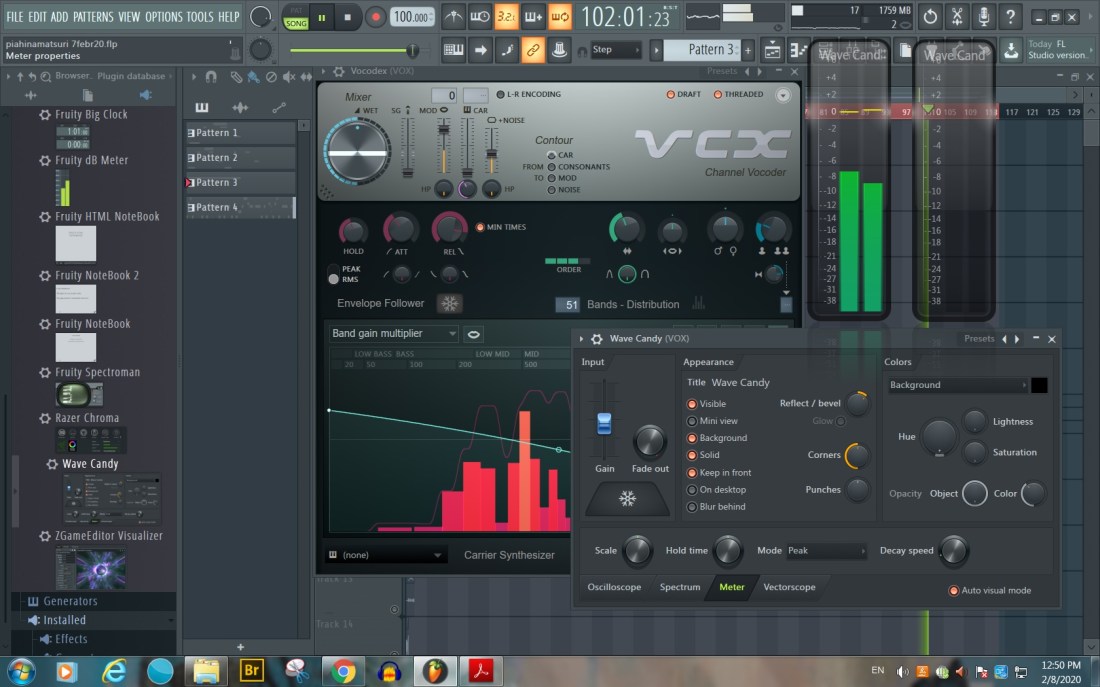
Wave Candy Settings – Meter
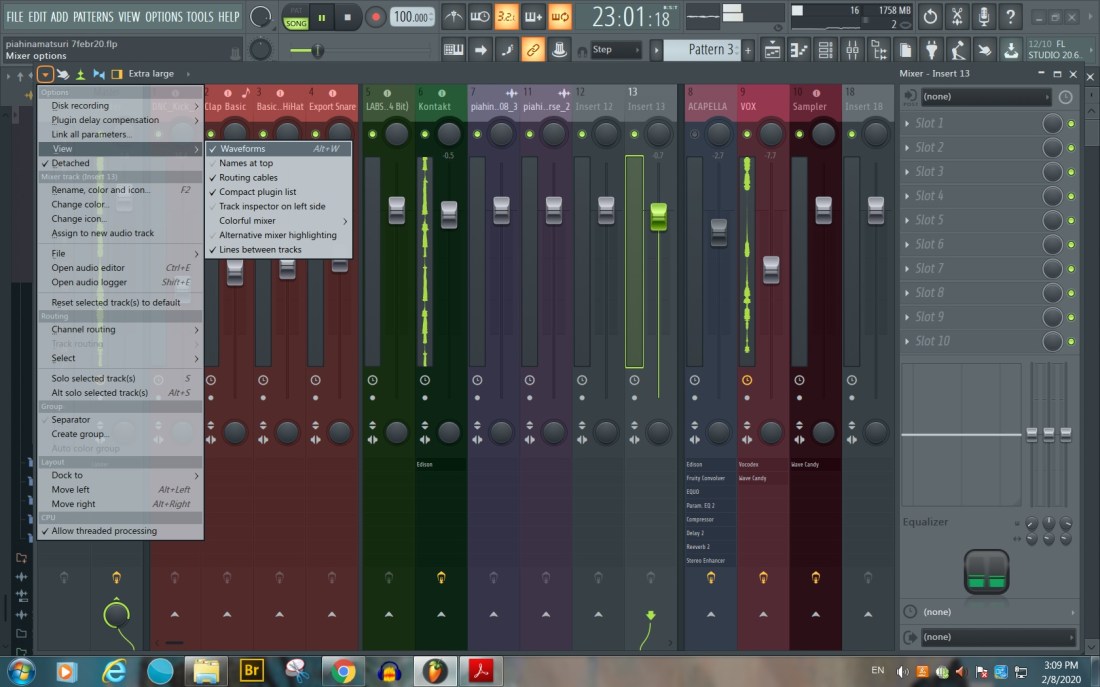
View Extra Large
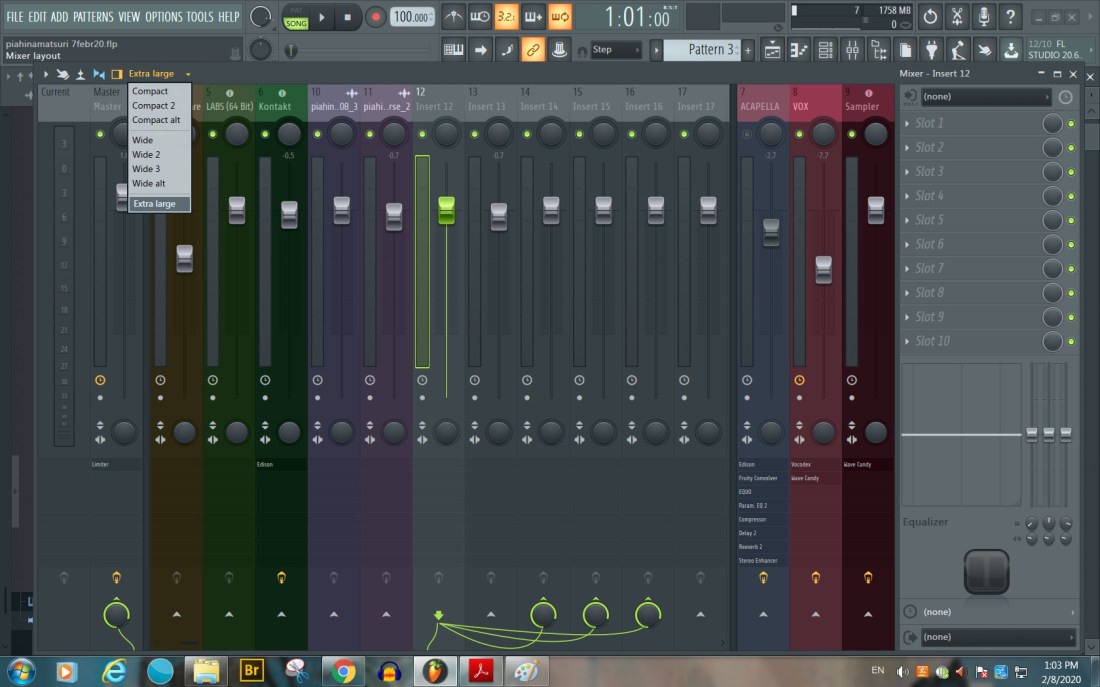
View Routing Cables
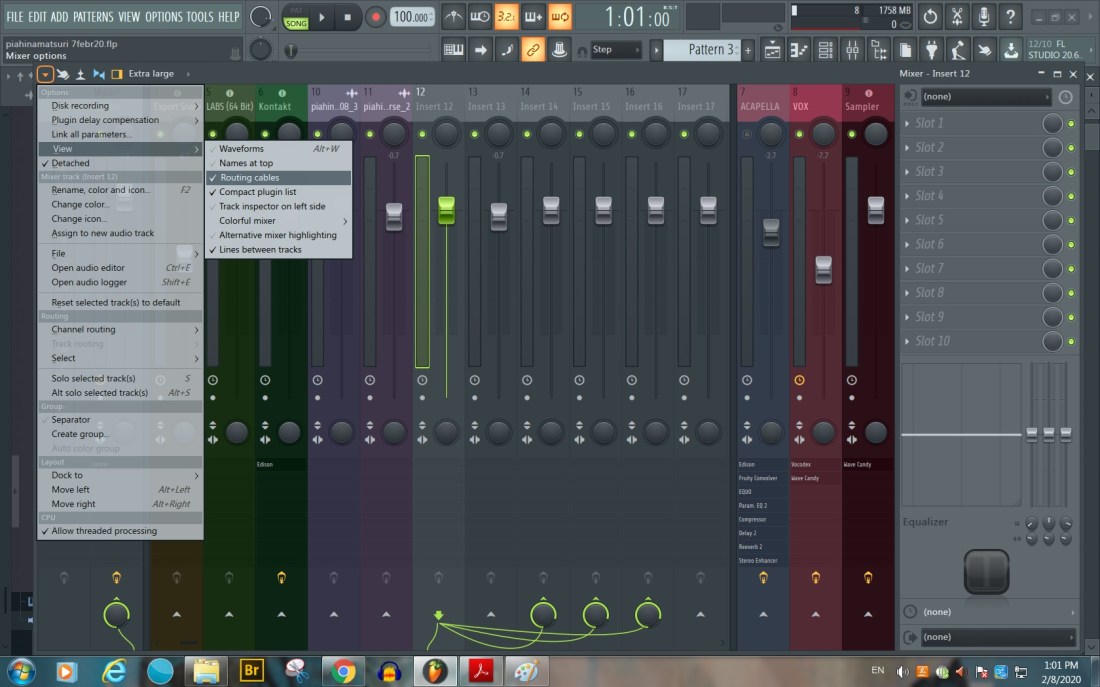
View Waveforms
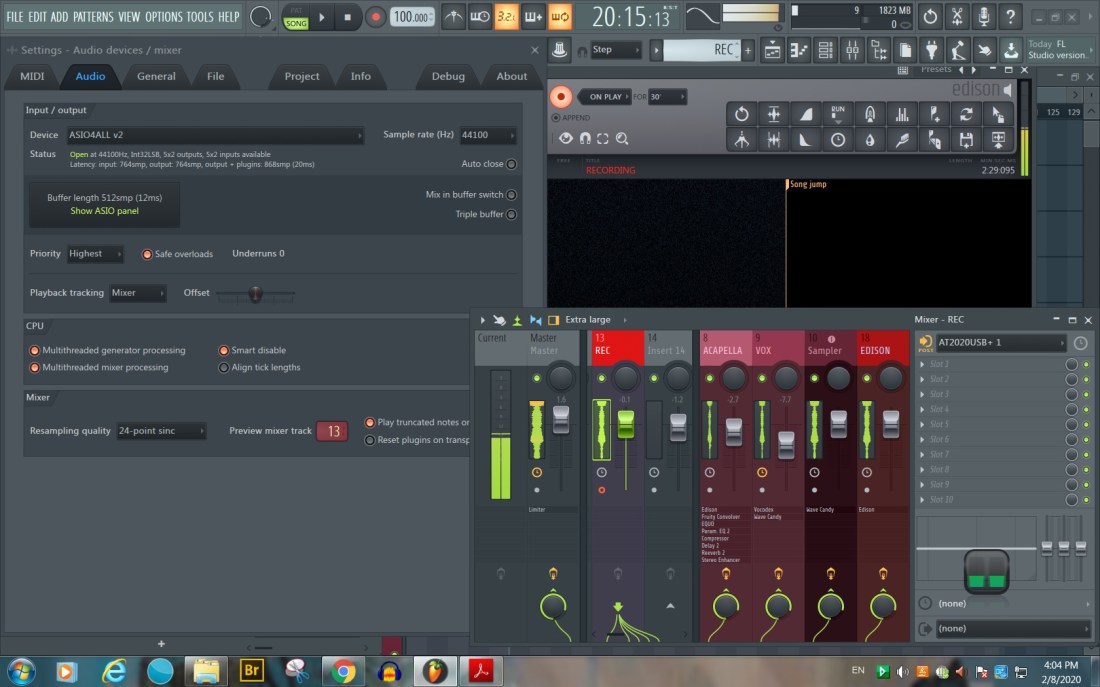
Audio Settings – ASIO 4 ALL – RECORD to mixer track no. 13: here REC (In: Mono AT2020USB; Out: None)
Connect REC channel to different Inserts and add different effects (plugins)
Connect to the MASTER only the channel that has the desired effects added, such as Fruity Parametric EQ 2, Compression, Fruity Reverb 2, Stereo… (Attention: The Channel’s Number connected to go to the Master must correspond to the number where the recording file is sent from the Live REC, here no. 9 – ACAPELLA)
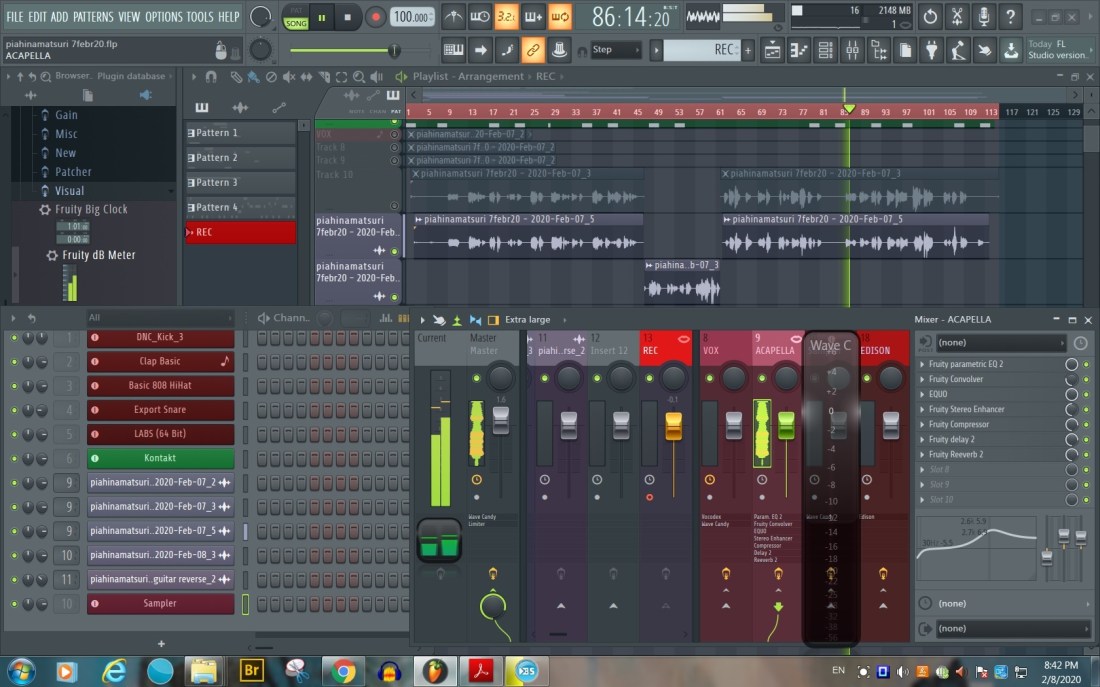
Disconnect all the other Voice Inserts from the MASTER (here: VOX, Sampler, EDISON and REC!)
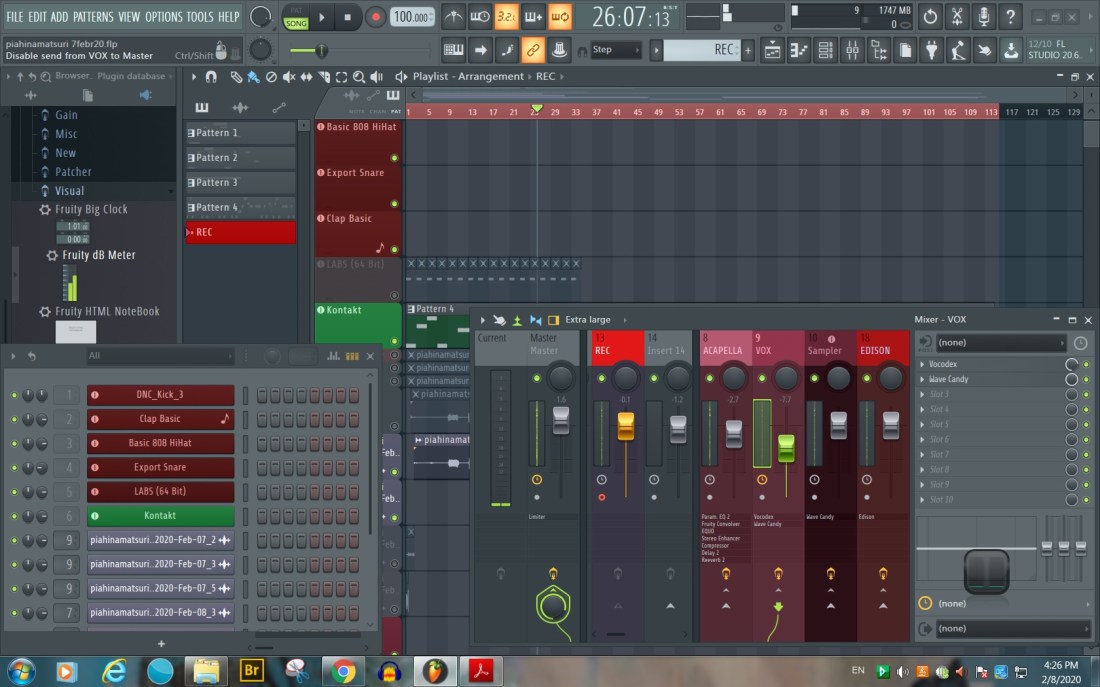
Disconnect REC (where the microphone is connected) from the MASTER. Do not add effects to the REC channel!

Save As Template in C:\Program Files (x86)\Image-Line\FL Studio 20\Data\Templates\My templates

See also
F9 – Mixer
https://www.image-line.com/support/flstudio_online_manual/html/mixer.htm
 pia.tech.blog